

Video Volume Booster – Increase Video Volume Up to 600%
Turn quiet videos up to 600 percent, and keep your volume settings for every website.
Video Volume Booster gives you a simple slider to amplify the sound of any video in your browser, far above the normal maximum. It remembers your setting for each website, so quiet videos are loud enough the next time you visit.

Features
Up to 600% volume
Increase the volume of videos up to 600 percent with a single slider.
Remembers your settings
The extension preserves the volume you set for a website and applies it automatically when you visit the page again.
Fullscreen still works
Volume boosting does not block fullscreen mode for videos.
Hotkeys
Control the volume from the keyboard, and change the hotkeys to whatever suits you.
On and off in one click
Use the ON switch in the popup to turn boosting on or off without removing your setting.
How to use Video Volume Booster
- Install Video Volume Booster from the Chrome Web Store or Microsoft Edge Add-ons.
- Open a page with a video or audio that is too quiet.
- Click the extension icon and drag the slider to the volume you want, up to 600.
- Use the hotkeys for quick changes, or the ON switch to turn boosting off.
More extensions from NoName Technology

Video downloader
Fast save videos with our user-friendly video downloader. Streamline your experience with seamless one-click functionality

Assistant for Instagram™
Downloader for Instagram™ and uploader for Instagram™ in one app. Instagram video controls.

ScreenJoy — Pet & Effects
Make your browser your own. Mix animated characters, overlays, and cursors to create a unique, fun experience.
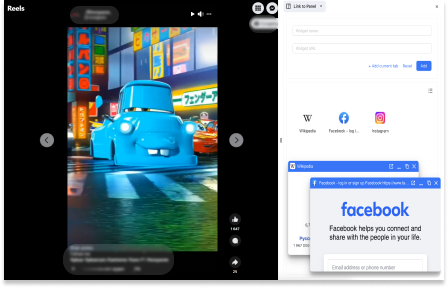
Link to Panel by NNT
Expand your Side Panel experience to boost up productivity and multitasking with our extension.

Picture in picture
Switch videos into Picture-in-Picture (PiP) mode, allowing you to freely browse the internet or work on other web pages.
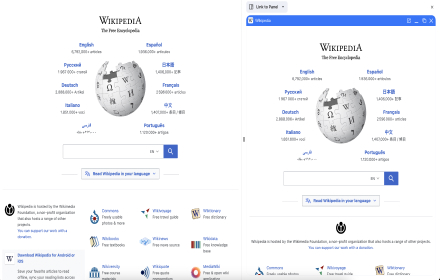
Wikipedia SidePanel by NNT
The largest free encyclopedia in your sidebar! Quick search and convenient viewing in all tabs of one browser window. Search function in the context menu.